Getting Started with Judge LLM
Welcome to Judge LLM - a lightweight, extensible Python framework for evaluating and comparing LLM providers.
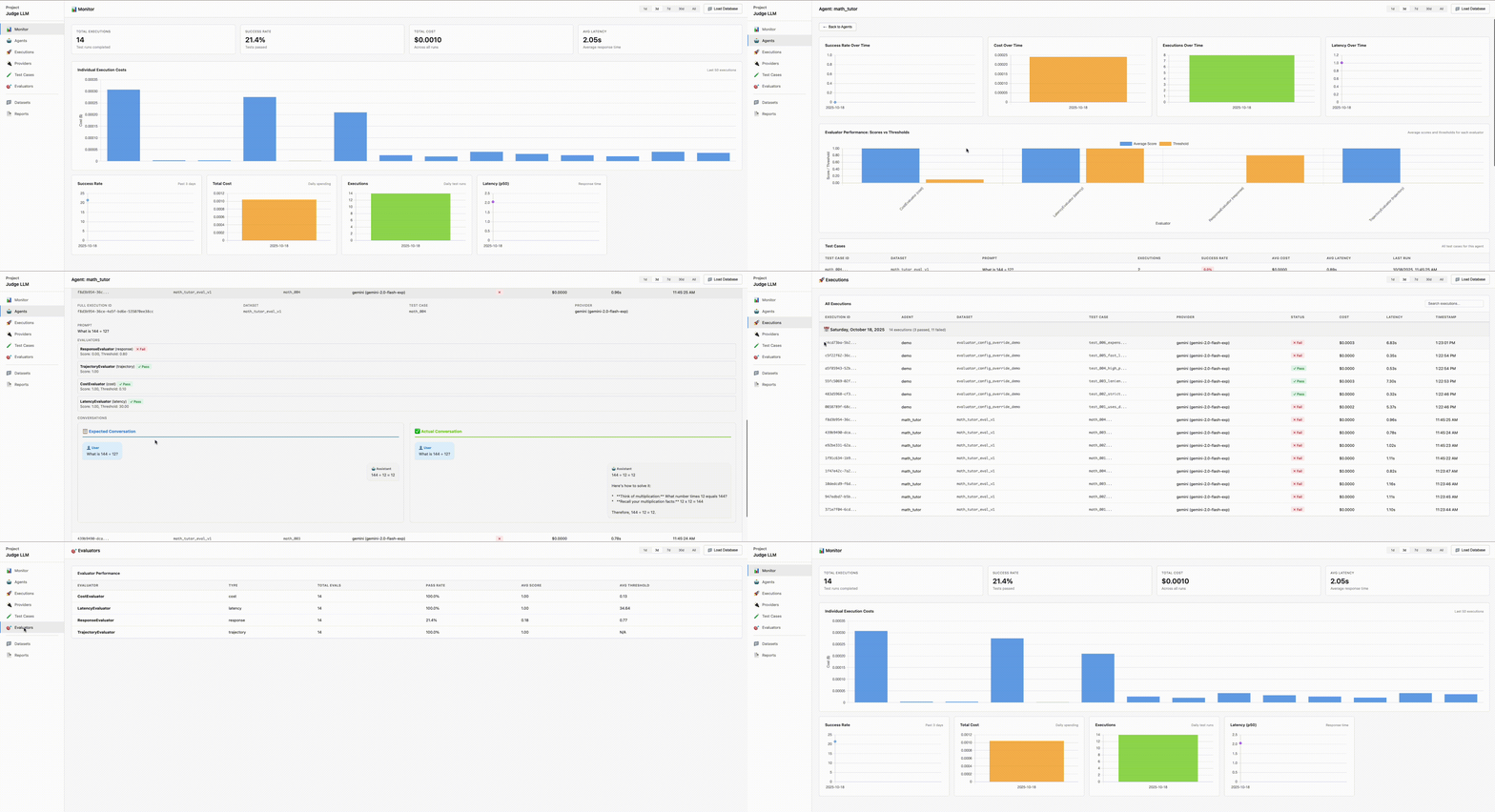
What is Judge LLM?
Judge LLM helps you systematically evaluate AI agents and LLM providers by running test cases against your models and measuring:
- Response Quality - Exact matching, semantic similarity, ROUGE scores
- Cost & Latency - Token usage, execution time, budget compliance
- Conversation Flow - Tool uses, multi-turn interactions
- Safety & Custom Metrics - Extensible evaluation logic
Perfect for regression testing, A/B testing providers, and ensuring production-grade quality.
Key Features
- 🚀 Multiple Providers - Gemini, Google ADK, Mock, and custom providers with registry-based extensibility
- 📊 Built-in Evaluators - Response similarity, trajectory validation, cost/latency checks
- 🔌 Registry System - Register custom providers, evaluators, and reporters once, use everywhere
- 📈 Rich Reports - Console tables, interactive HTML dashboard, JSON exports, SQLite database, plus custom reporters
- ⚡ Parallel Execution - Run evaluations concurrently with configurable workers
- 🚦 Quality Gates - Fail CI/CD builds when thresholds are violated (configurable)
- 🛠️ Config-Driven - YAML configs with smart defaults and component registration
- 🎯 Per-Test Overrides - Fine-tune evaluator thresholds per test case
- 🔐 Environment Variables - Auto-loads
.envfor secure API key management - 🏢 Team Standardization - Share default configs across your organization
- 🔍 Full-Text Search - Quick documentation search with keyboard shortcuts
Quick Example
CLI Usage
# Run evaluation from config file
judge-llm run --config config.yaml

# Run with inline arguments
judge-llm run --dataset ./data/eval.json --provider mock --agent-id my_agent --report html
Python API
from judge_llm import evaluate

# From config file
report = evaluate(config="config.yaml")

# Programmatic API
report = evaluate(
    dataset={"loader": "local_file", "paths": ["./data/eval.json"]},
    providers=[{"type": "mock", "agent_id": "my_agent"}],
    evaluators=[{"type": "response_evaluator", "config": {"similarity_threshold": 0.8}}],
    reporters=[{"type": "console"}, {"type": "html", "output_path": "./report.html"}]
)

print(f"Success: {report.success_rate:.1%} | Cost: ${report.total_cost:.4f}")
Custom Component Registration
Register custom components once and use them by name everywhere:
# .judge_llm.defaults.yaml - Register custom components
providers:
  - type: custom
    module_path: ./my_providers/anthropic.py
    class_name: AnthropicProvider
    register_as: anthropic

evaluators:
  - type: custom
    module_path: ./my_evaluators/safety.py
    class_name: SafetyEvaluator
    register_as: safety

reporters:
  - type: custom
    module_path: ./my_reporters/slack.py
    class_name: SlackReporter
    register_as: slack
# test.yaml - Use registered components by name
providers:
  - type: anthropic
    agent_id: claude

evaluators:
  - type: safety

reporters:
  - type: slack
    config: {webhook_url: ${SLACK_WEBHOOK}}
Benefits:
- ✅ Register once, use everywhere (DRY principle)
- ✅ Team standardization across projects
- ✅ Clean, simple test configs
- ✅ Easy to update implementations
Learn more in the Configuration Guide, Evaluators, and Reporters documentation.
Use Cases
- Regression Testing - Ensure new model versions don't degrade performance
- Provider Comparison - Compare Gemini vs OpenAI vs Claude on your use cases
- Cost Optimization - Track and optimize API costs across evaluations
- Safety Validation - Detect PII leaks, toxic content, harmful instructions
- Quality Assurance - Systematic testing before production deployment
Next Steps
Need Help?
- 📚 Browse the documentation
- 💡 Check out examples
- 🐛 Report issues on GitHub
- 🤝 Read the configuration guide